A fresh layer on a trusted system
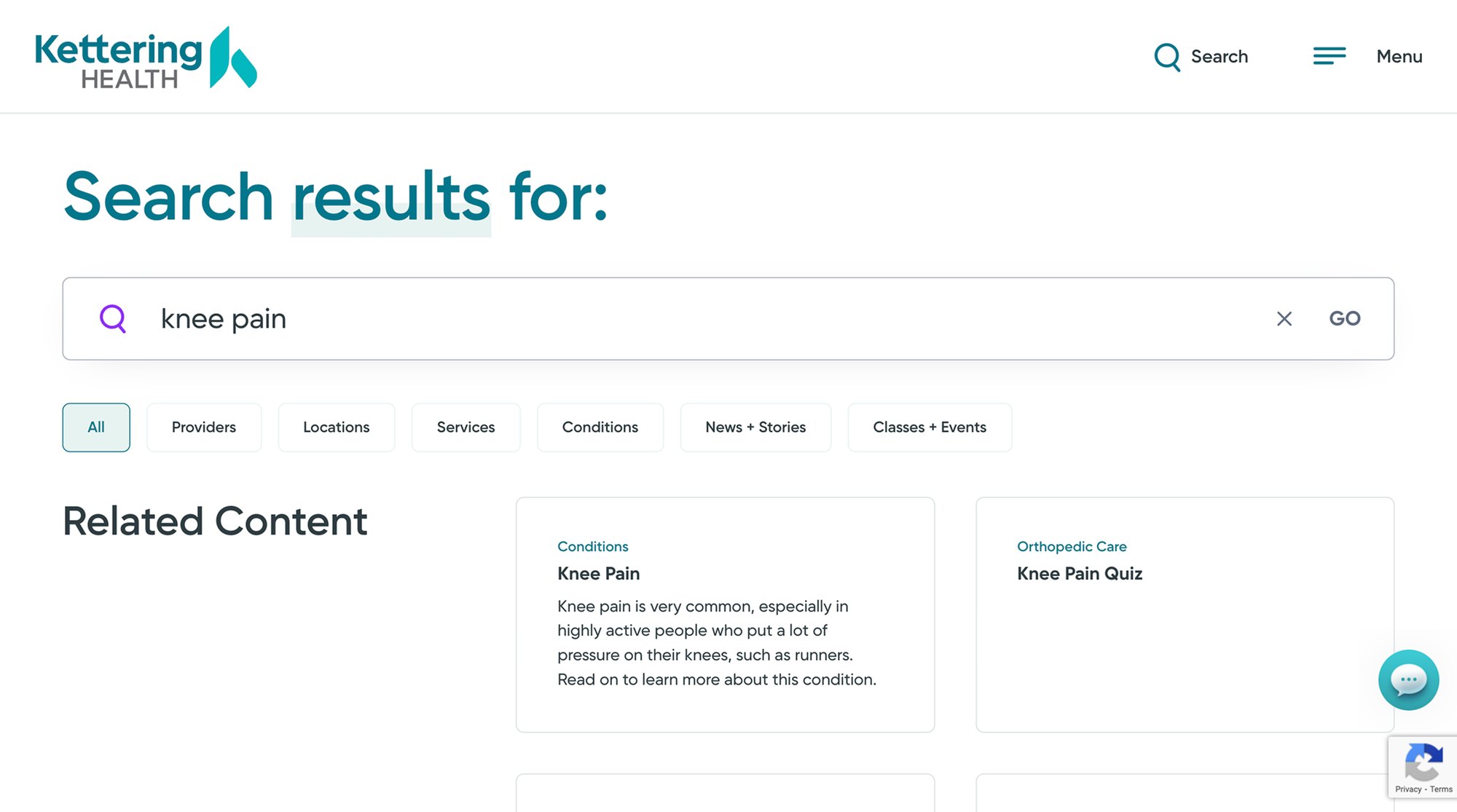
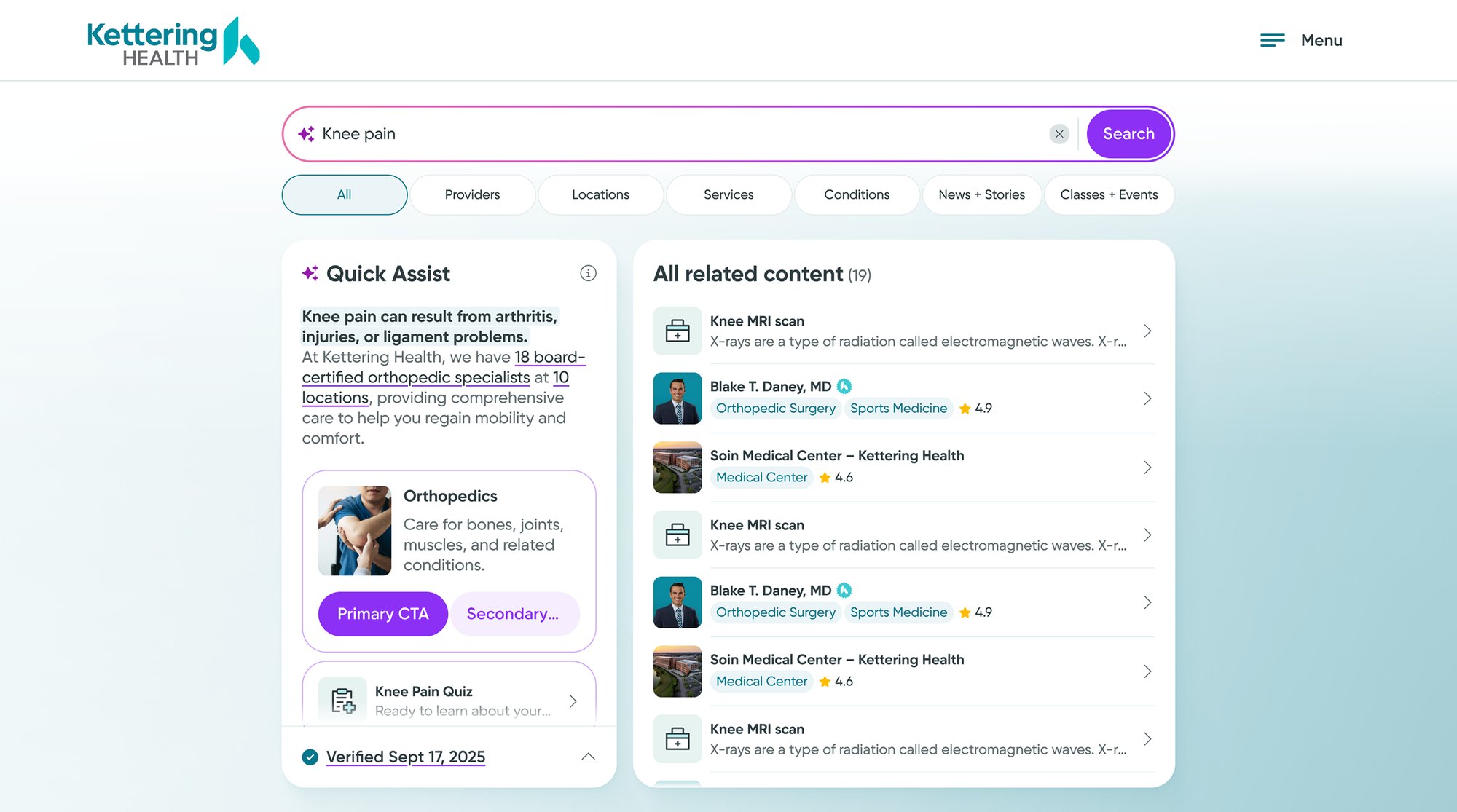
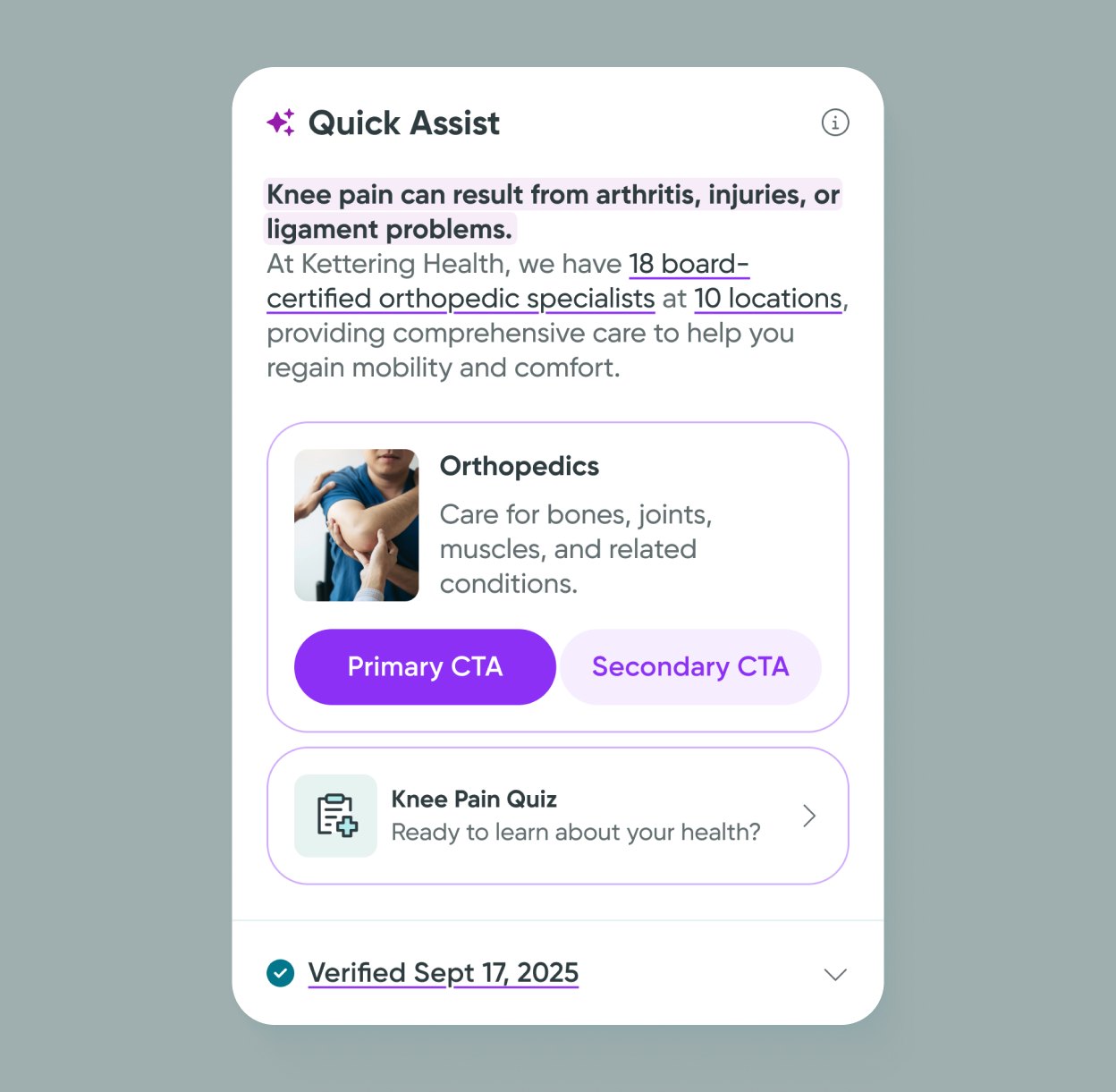
I kept the existing system and added one pink accent for AI, plus soft gradients.
The new search had to live inside an established design system, so consistency came first.
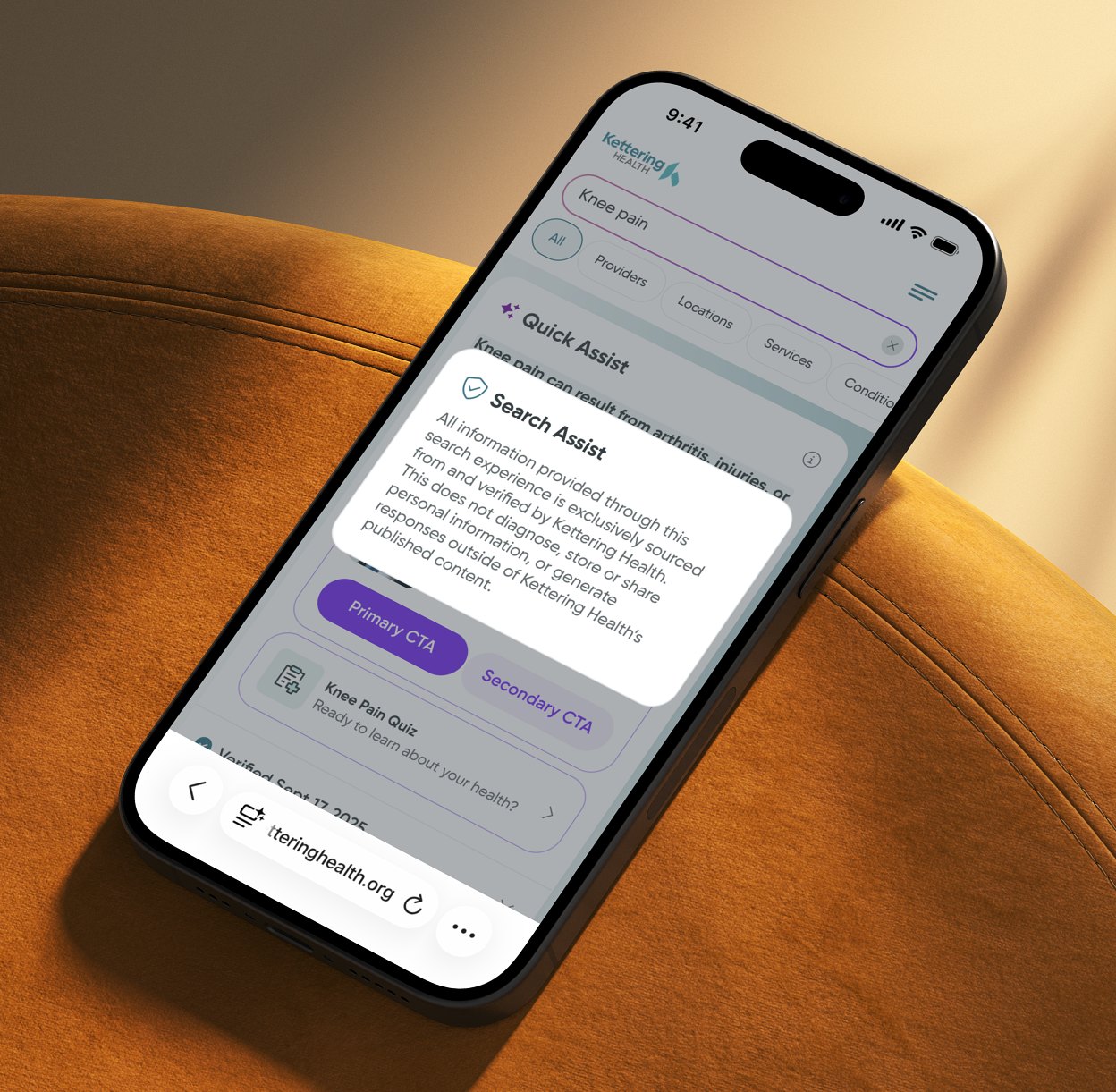
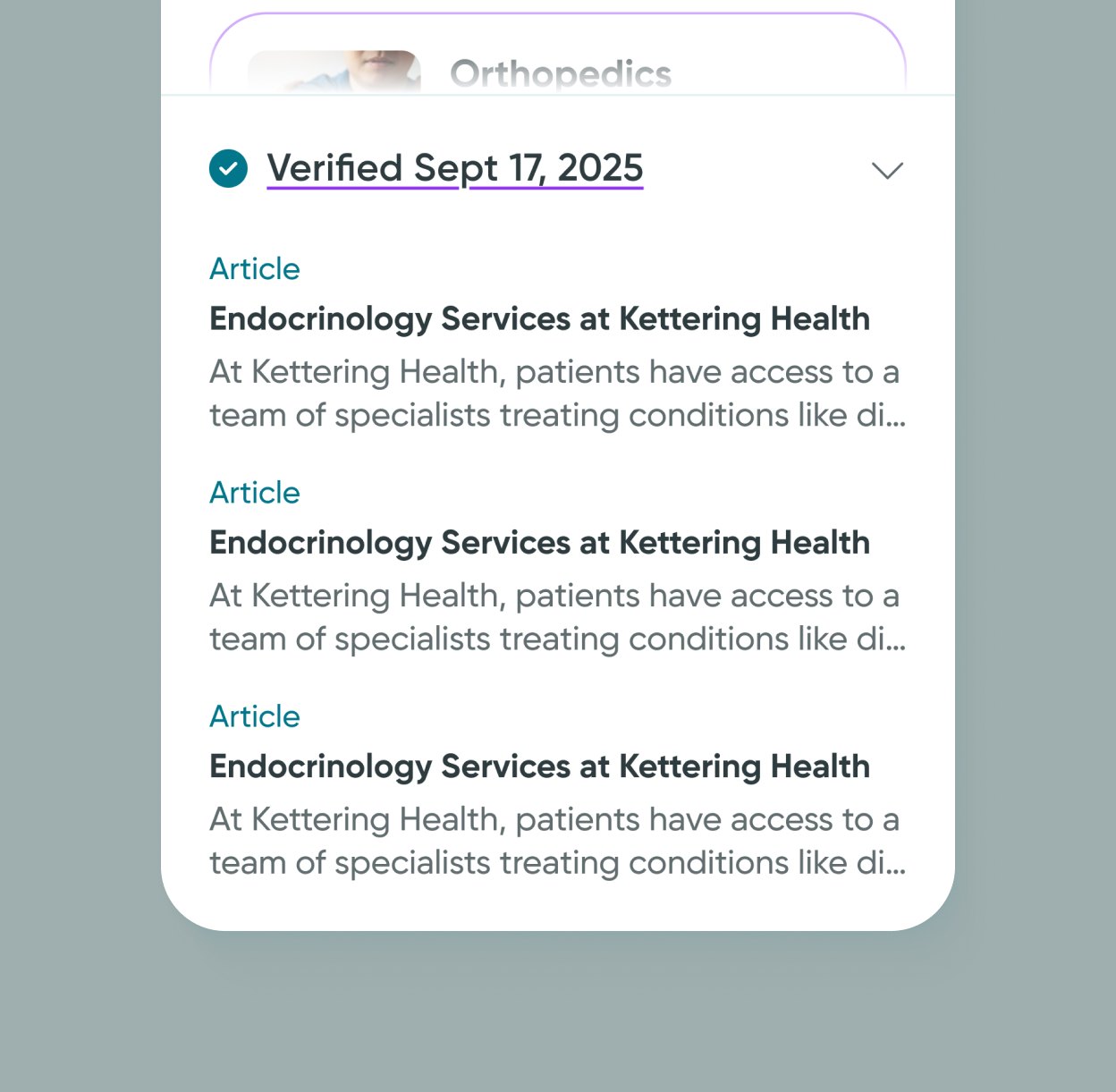
Within those limits I added what makes the AI feel new without breaking familiarity: a refined colour code with a dedicated pink for AI features, and subtle gradients. The result stays stable and still looks forward.
Smarter, intent-driven search
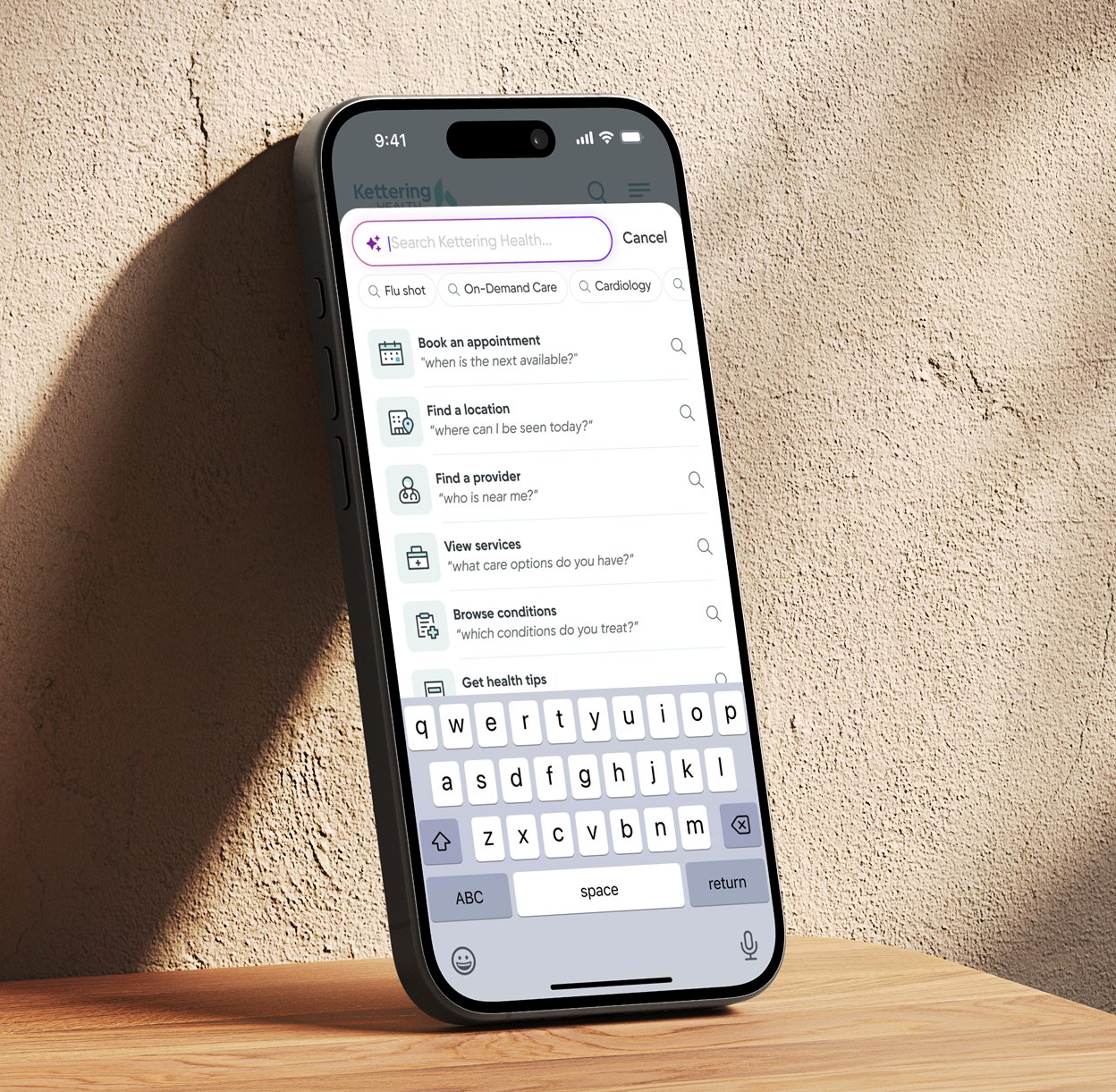
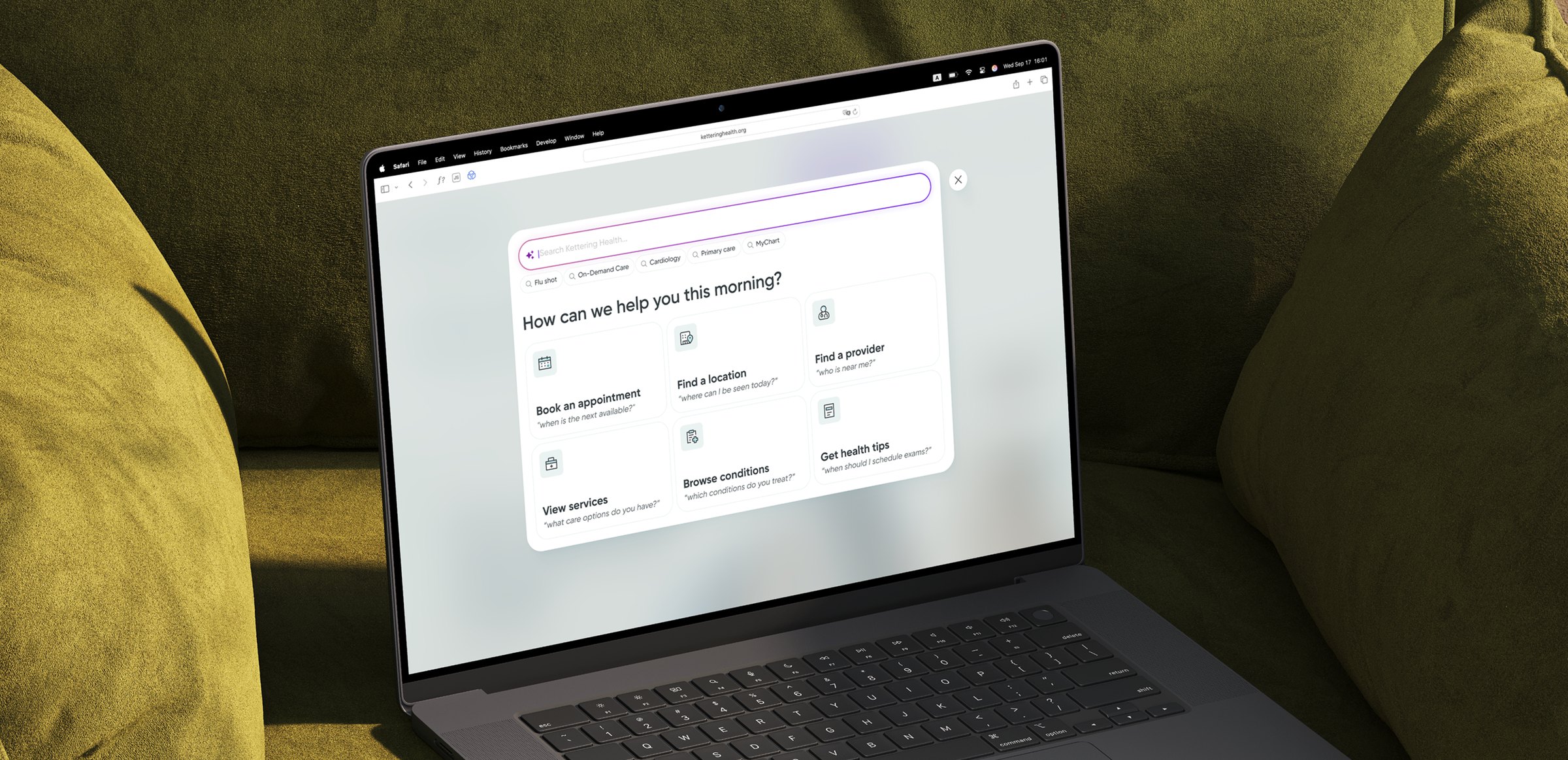
Search became a conversation starter: a guided start, smart suggestions and instant answers.
The old search relied on plain keywords and often left patients with long, irrelevant lists. It only worked if they already knew exactly what to type — a serious gap for people who needed guidance.
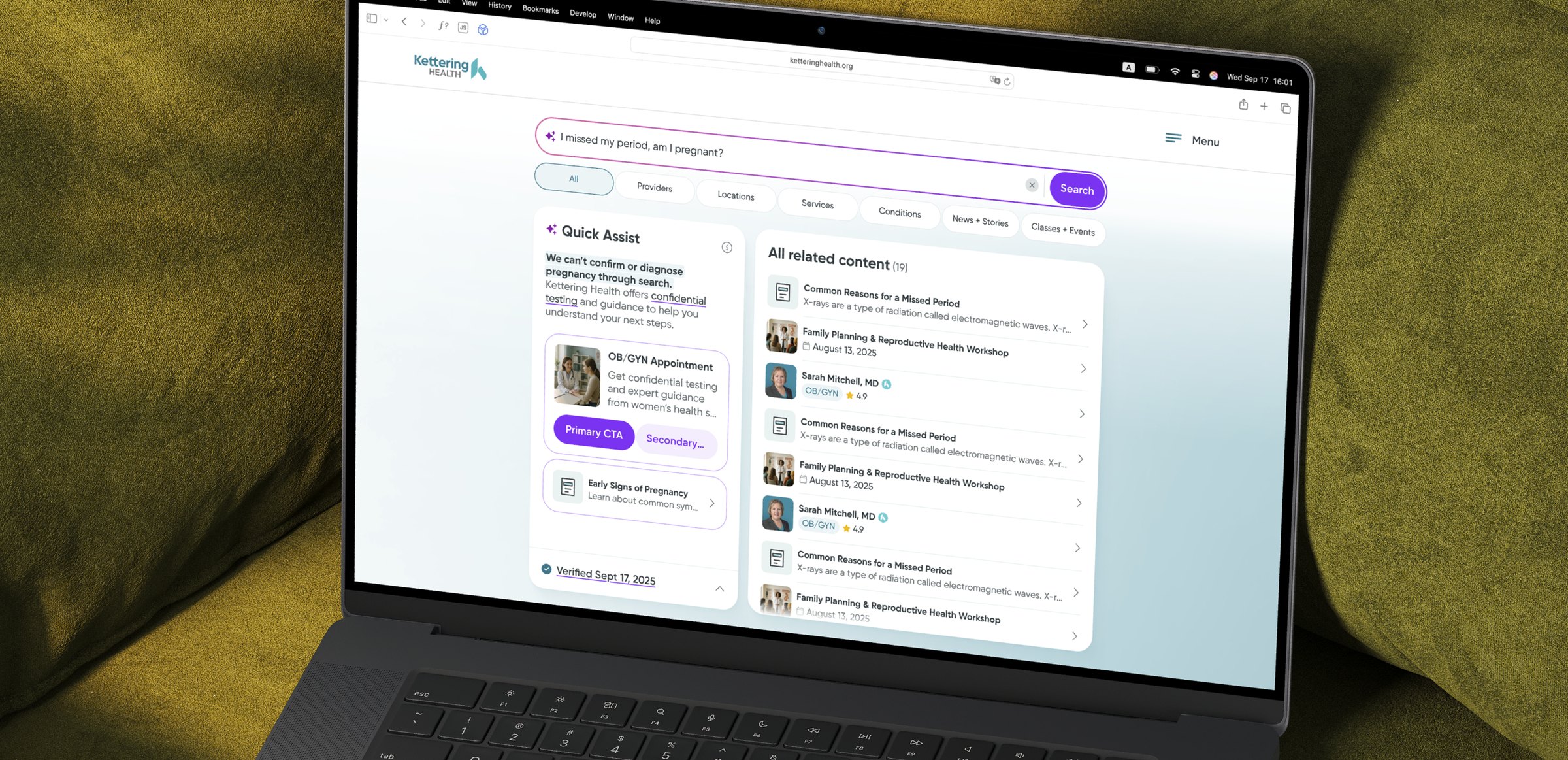
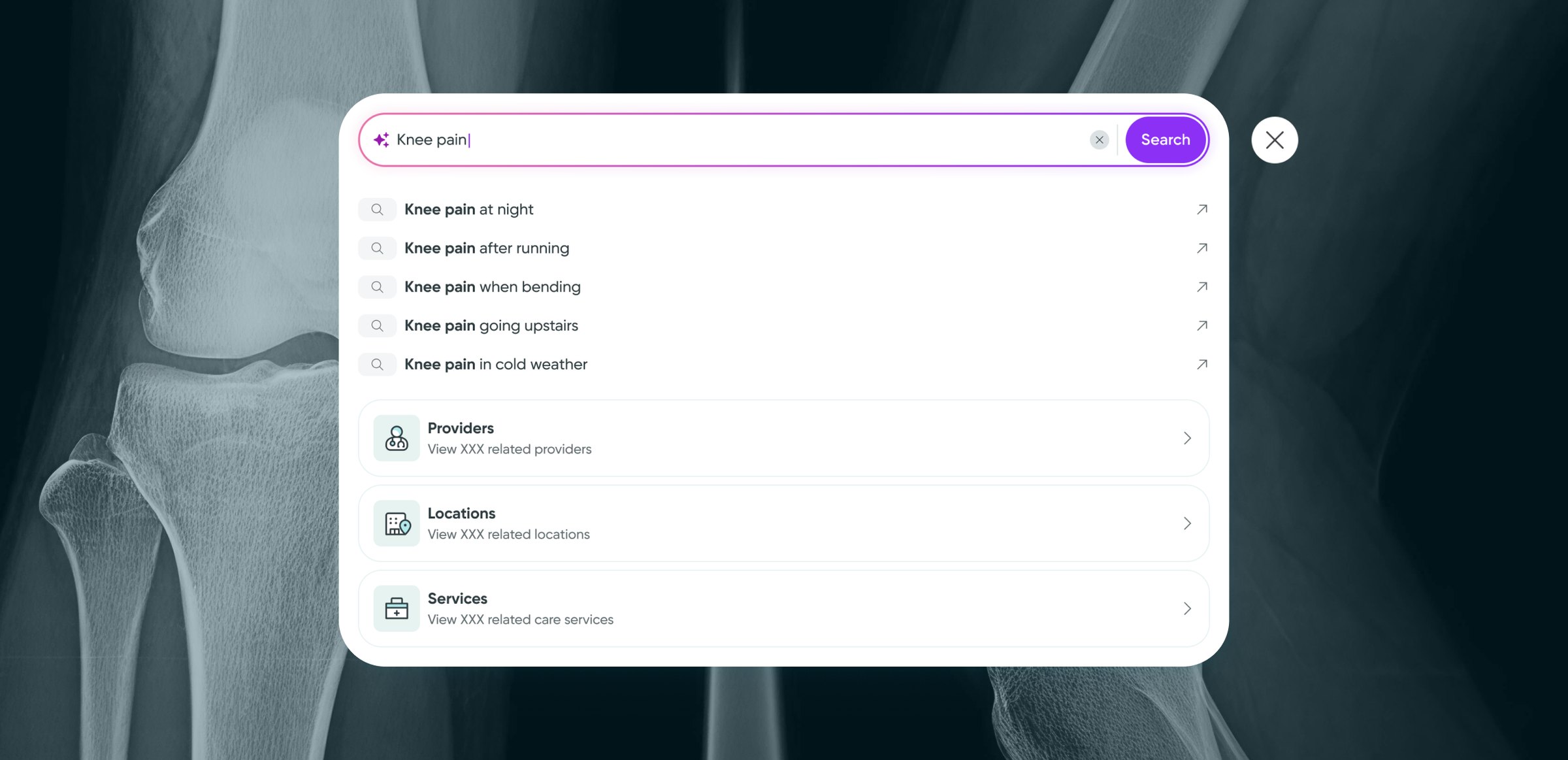
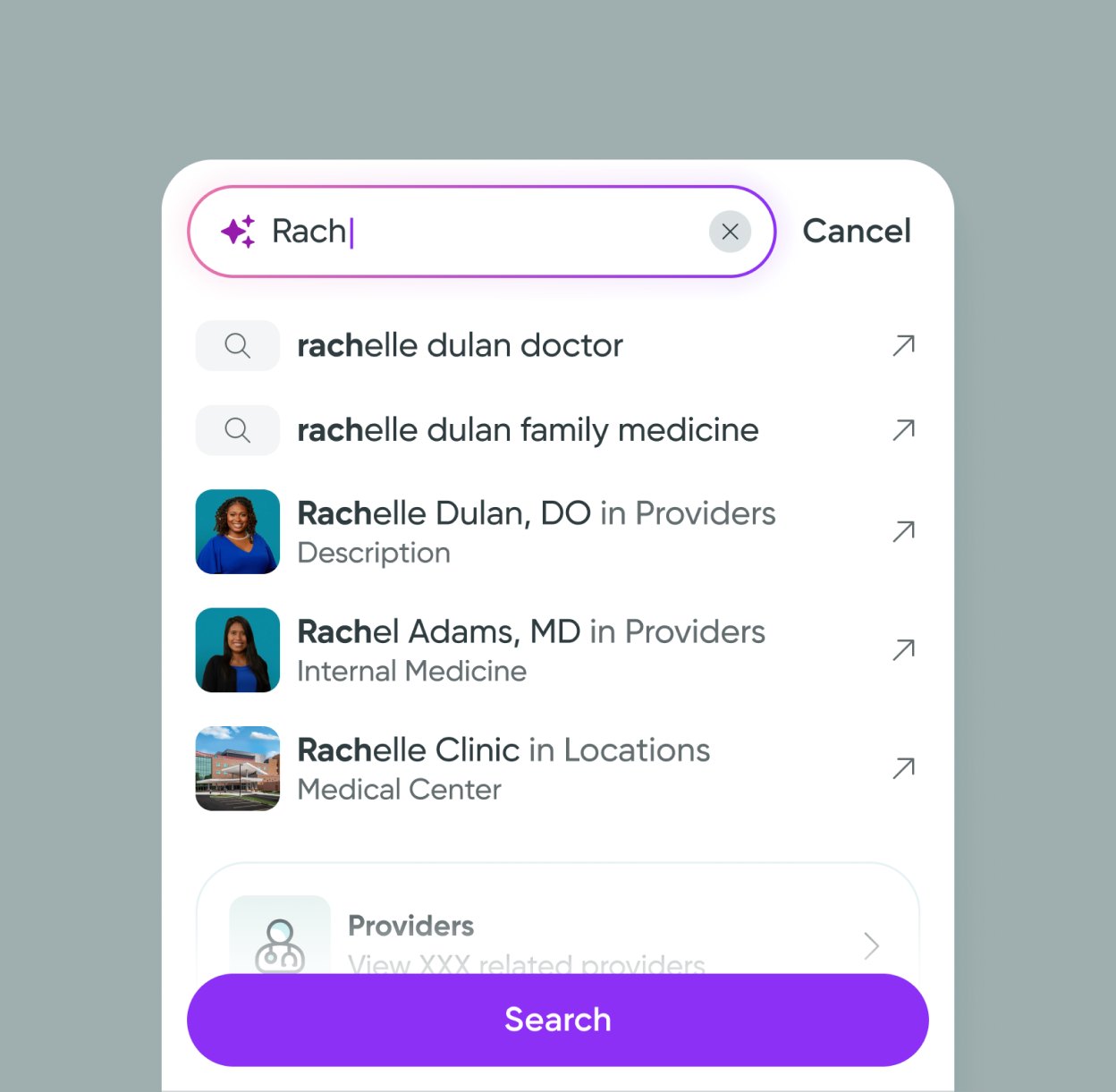
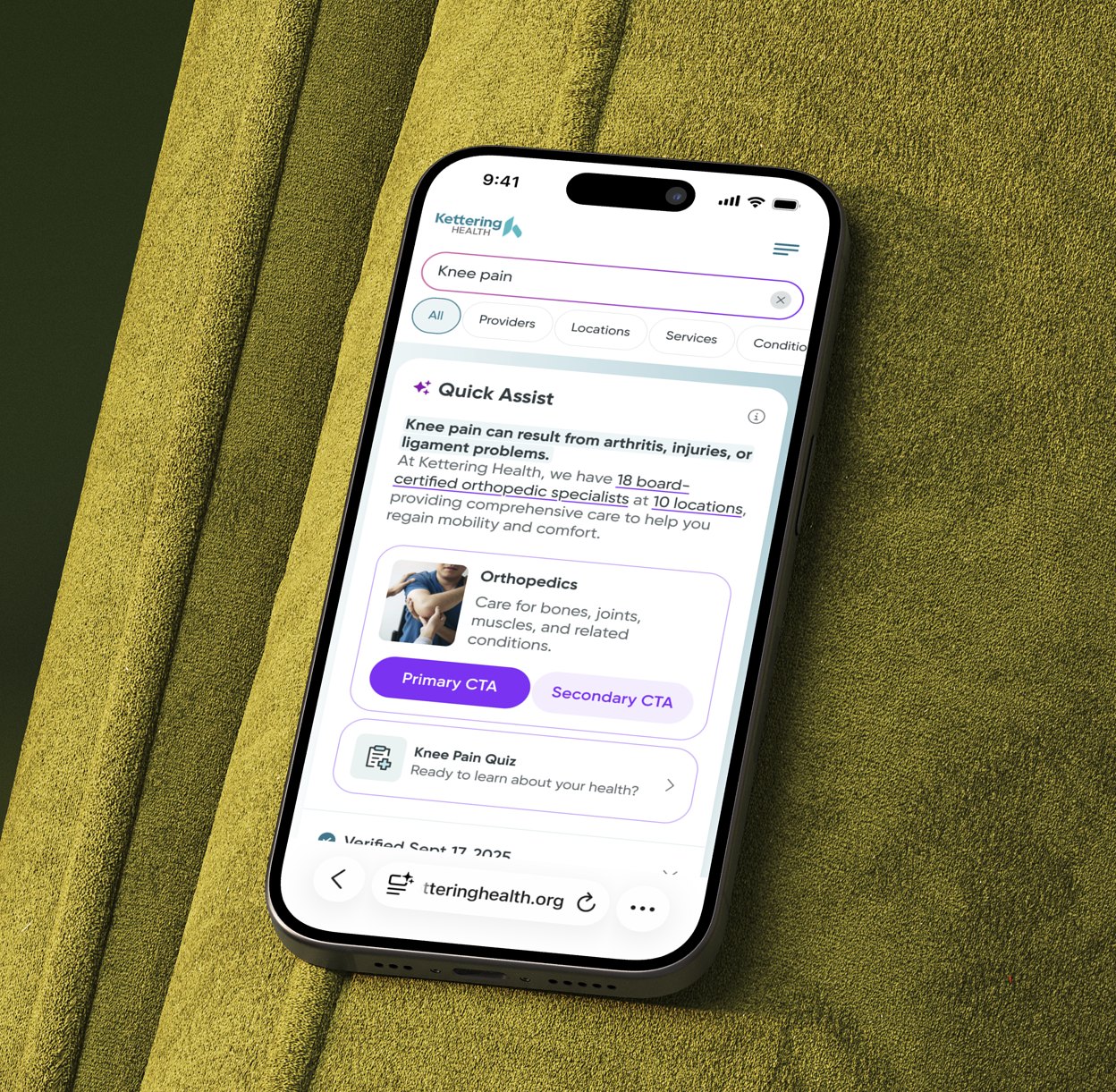
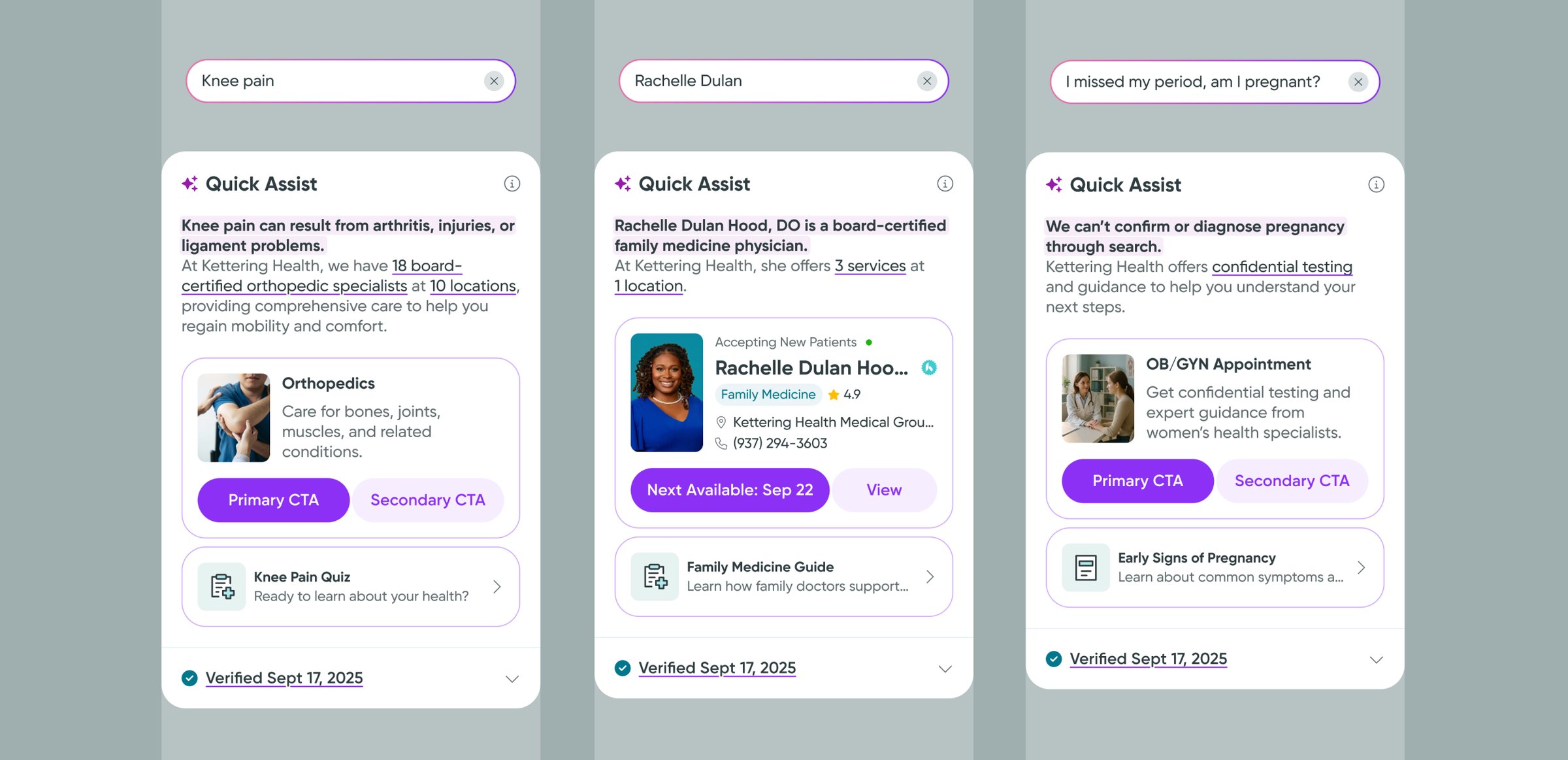
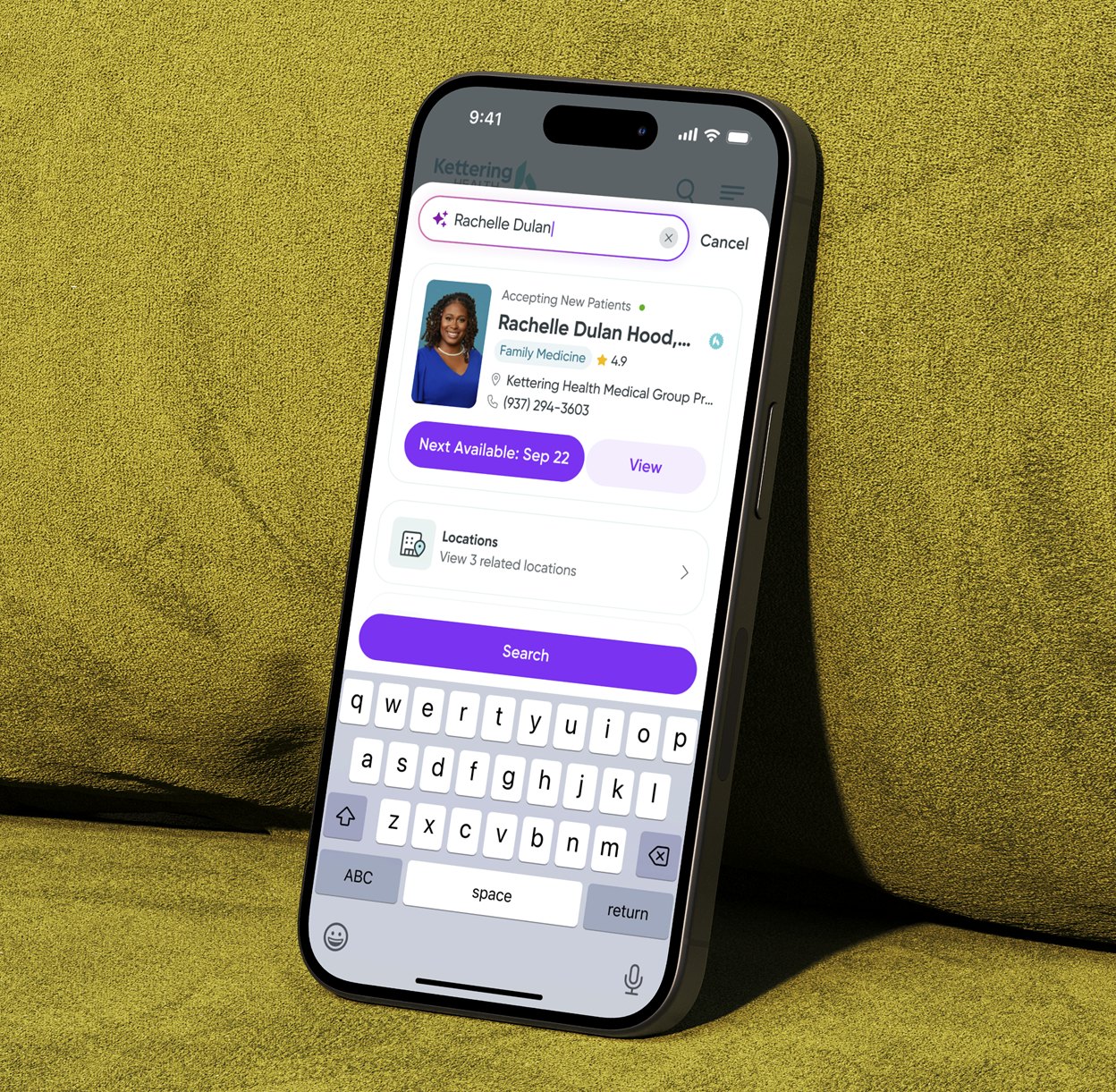
I redesigned search as a conversation starter, not a directory. It opens with a guided screen that shows what the system can do. As patients type, it offers smart suggestions, and when there's an exact match it surfaces an actionable widget — a doctor, a service or a clinic — so they can move forward right away.
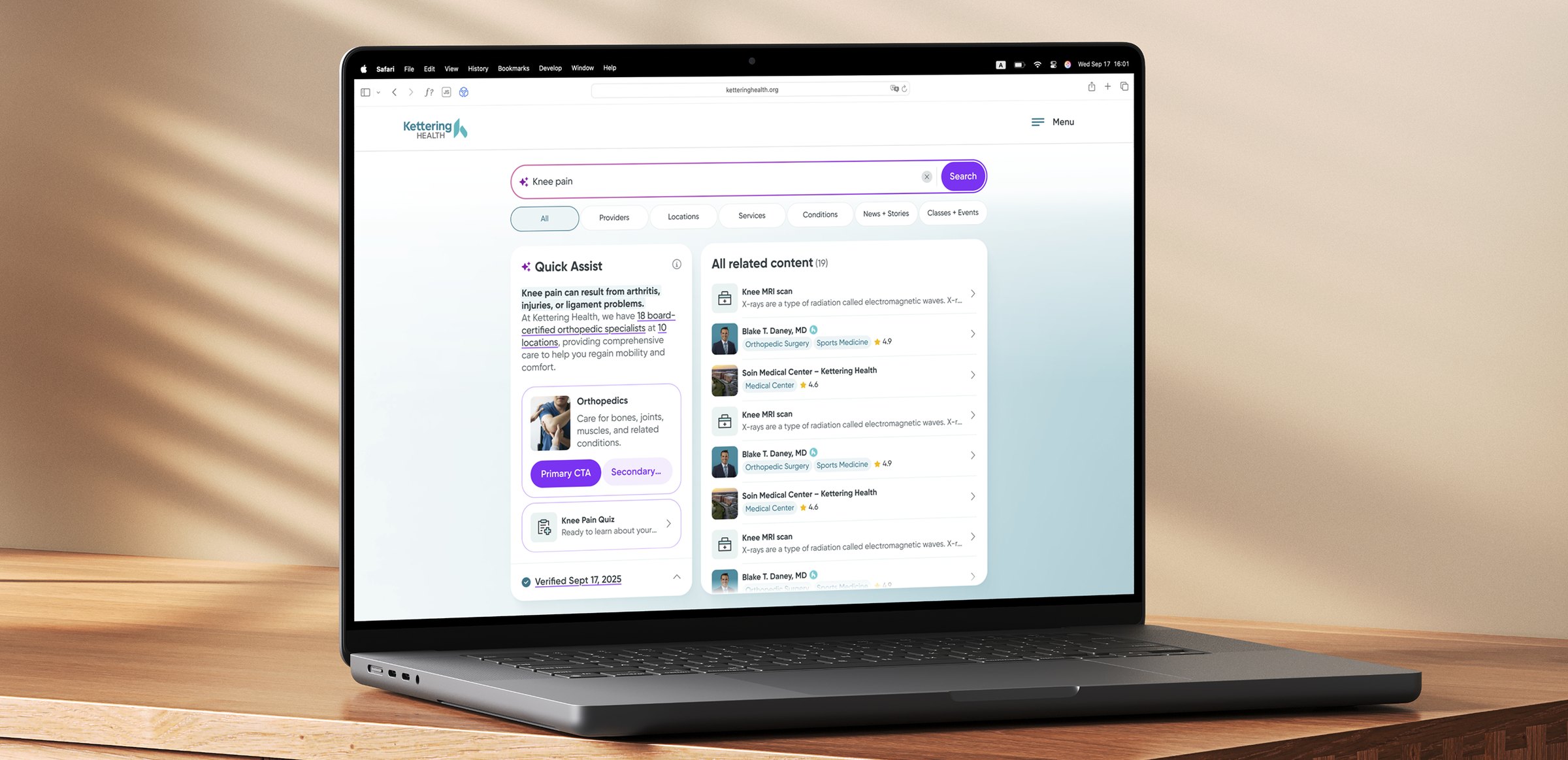
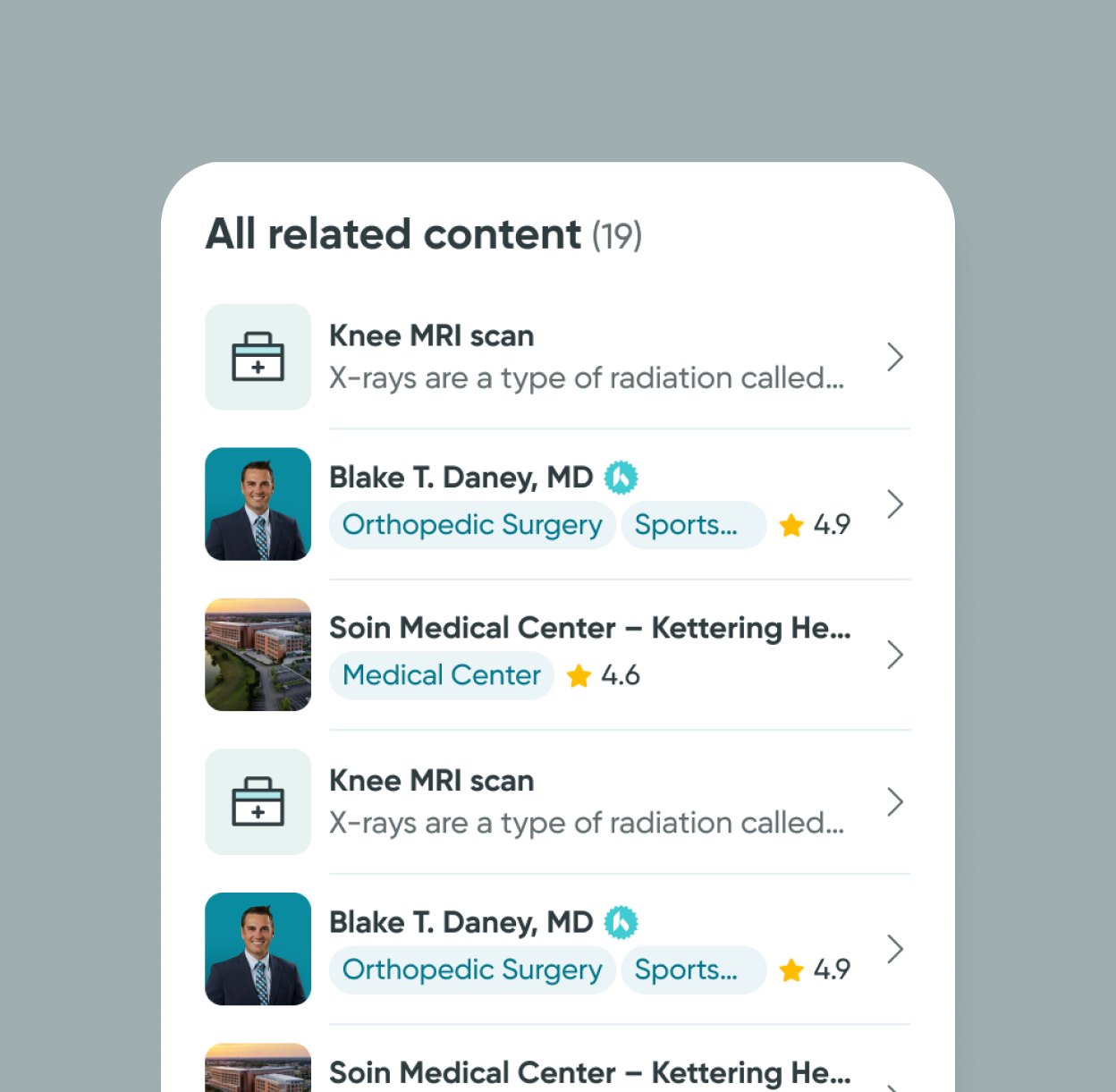
At any point patients can open the full results page, where widgets are ranked by intent and relevance, so the most useful paths come first.

From queries to clear actions
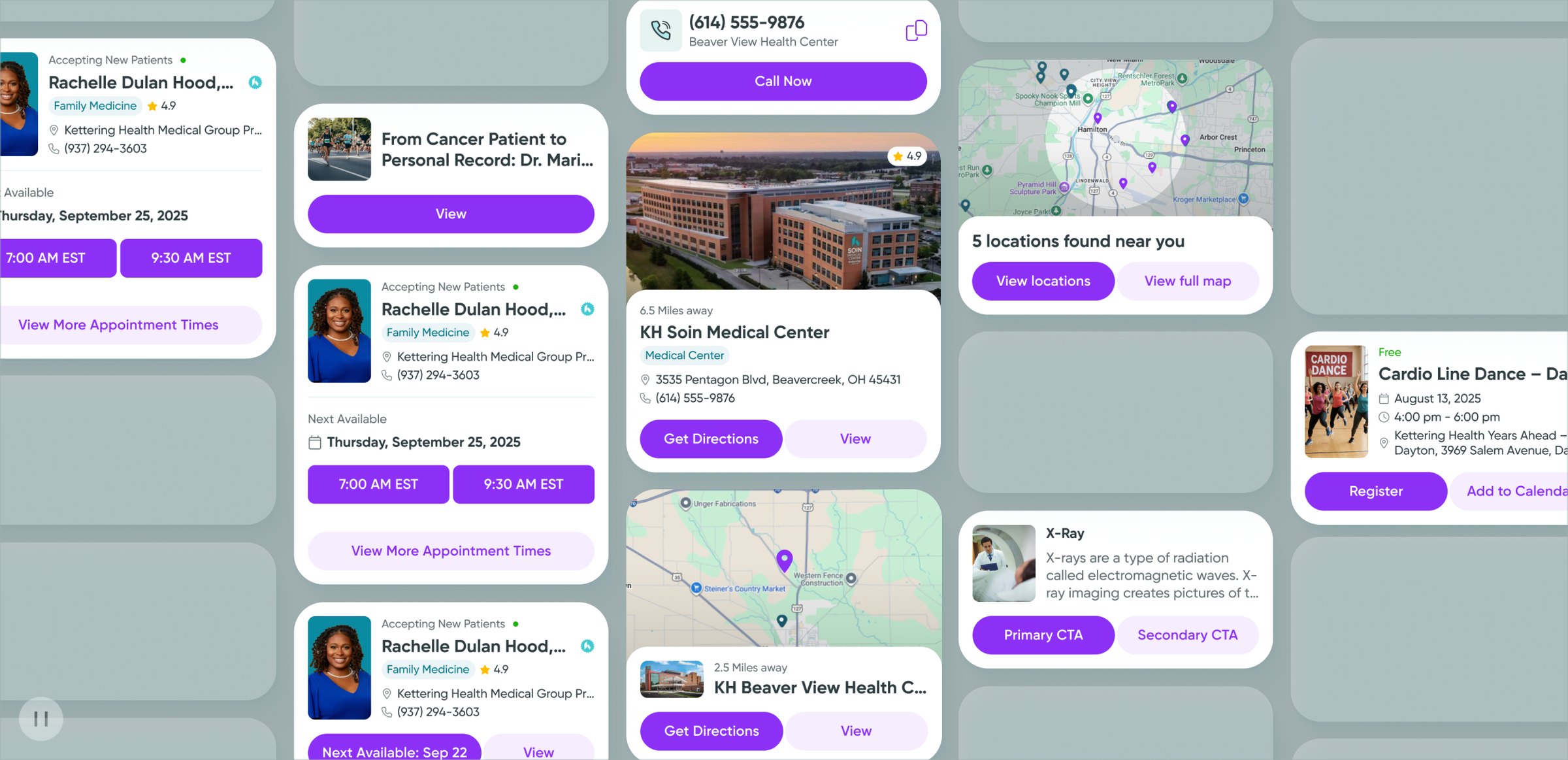
Lists of links became widgets that each stand for a next step.
Once intent is clear, results have to feel useful, not overwhelming. Before, patients saw long lists of links; even when the right option was there, it was lost in the noise.
I replaced static lists with modular, action-oriented widgets. Each one is a clear next step — book an appointment, find a specialist, check a location, read up on a condition — so patients act instead of interpreting raw data.
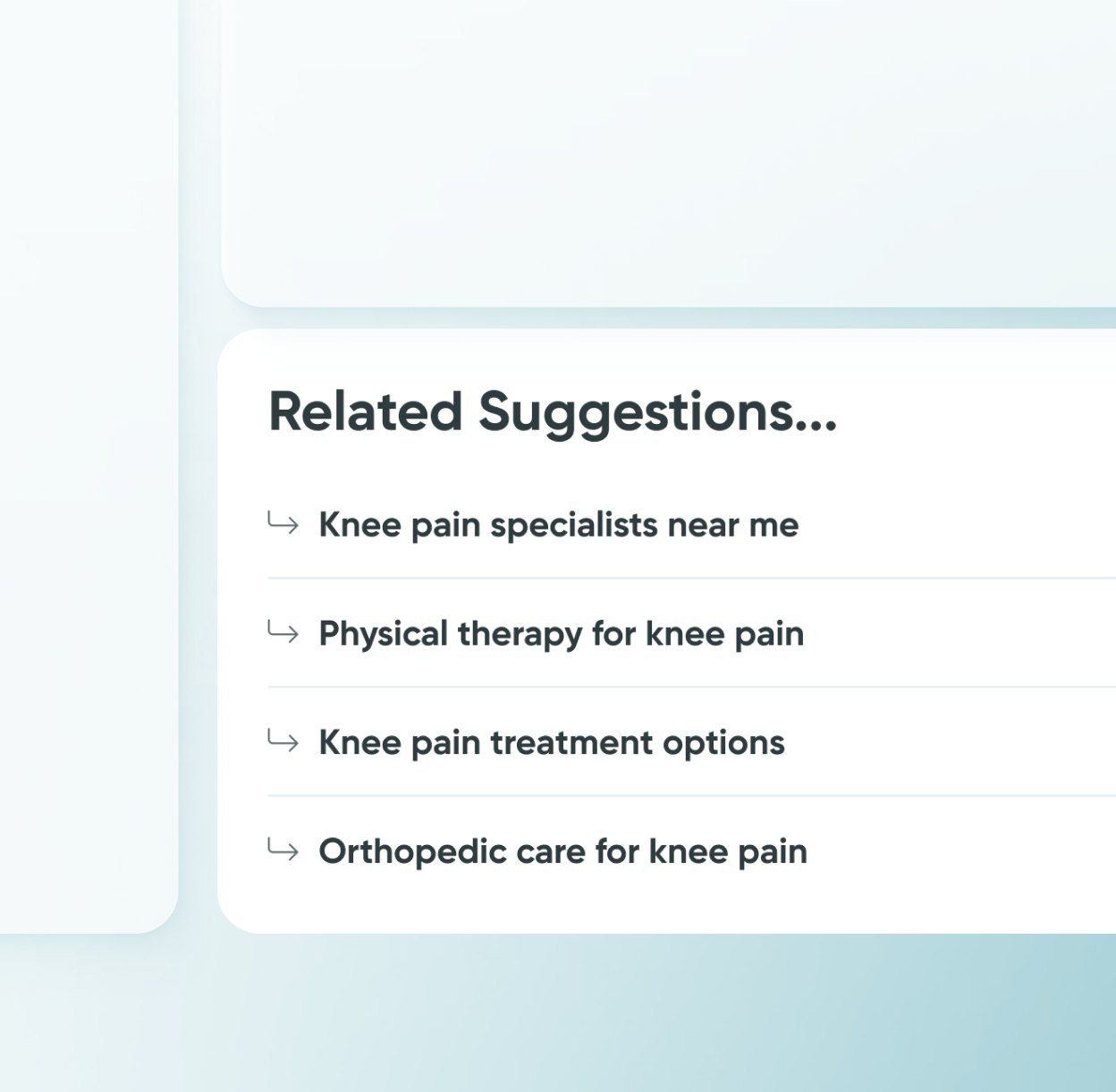
Follow-up prompts adapt to the context, like narrowing a location search to “closest to me” or widening a treatment query. Patients always see a way forward, whether they're ready to act or still deciding.

Designing for confidence and clarity
AI answers in plain language, and clarifying questions instead of “no results”.
Health searches can be stressful, especially when people aren't sure how to describe what's wrong. Long, equal-weight lists only added to the uncertainty.
I highlighted the details that matter most, wrote the AI answers in plain language and replaced “no results” with clarifying questions. On mobile, results appear instantly with fewer steps.
The aim: less anxiety, and a calmer path from concern to action.

Seamless integration with healthcare systems
Only the search layer changed; booking stays in the existing HIPAA-compliant system.
I focused on the search and results layer and left booking and patient records untouched. Patients preview slots, check locations and explore services in the new design, then finish scheduling in the existing HIPAA-compliant system.
That kept the rollout fast, the risk low and compliance intact.